How to Transfer Money from PayPal to GCash in the Philippines
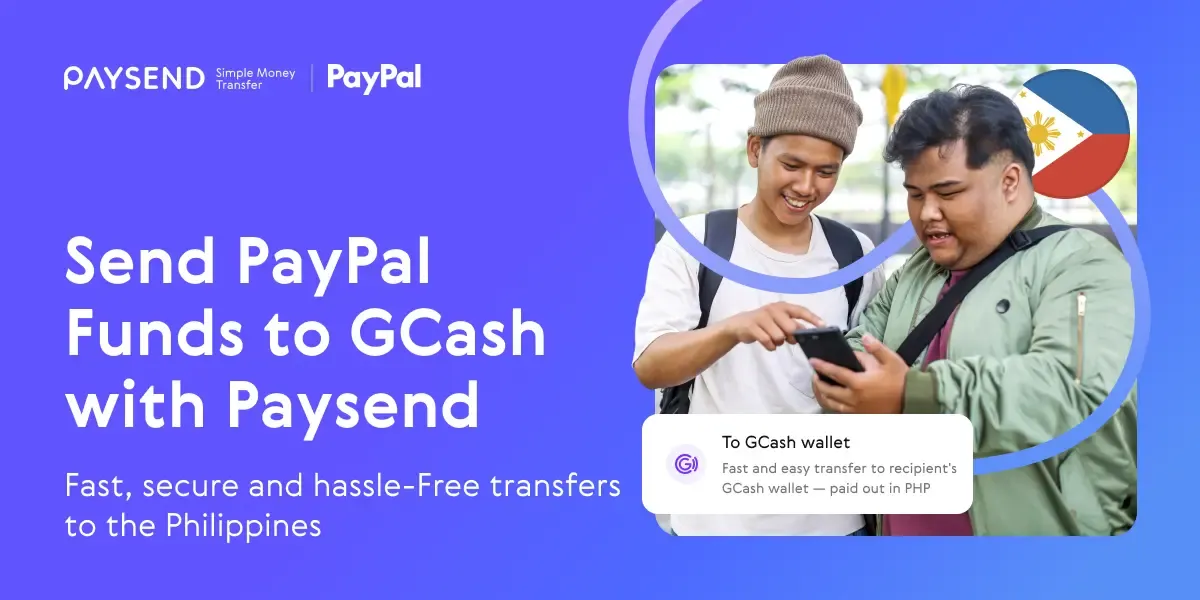
For many Filipinos, both at home and abroad, PayPal is the default way to get paid – whether it’s for freelance work, online business, or international gigs. But while PayPal is convenient for receiving payments in EUR or other currencies, accessing those funds locally often requires an extra step. That’s where GCash comes in. As one of the most widely used mobile wallets in the Philippines, GCash lets users pay bills, shop online, send money to friends and family, or withdraw cash, fast.
Thanks to services like Paysend, transferring funds from PayPal to GCash is easy, fast, and secure. This is particularly helpful for members of the Filipino diaspora who are sending remittances home. Instead of relying on traditional bank wire transfers – which can be slow and costly – Paysend allows you to fund a transfer with PayPal and deliver PHP directly* to a GCash wallet.
*Your money will be sent in real time; however, transfer delivery times may vary based on recipient bank processing, compliance checks, or other factors.
Why Filipinos Use PayPal to GCash Transfers
The Philippines is one of the world’s largest recipients of remittances. Many overseas workers, freelancers, and remote employees are paid through PayPal because it’s internationally recognized and convenient. Yet, for everyday spending, it’s much easier to have funds in a local wallet like GCash. This allows recipients to avoid bank queues, pay bills, buy prepaid mobile load, or even shop online at local merchants seamlessly.
Using Paysend is fast, convenient, and safe because your bank or card details aren’t shared. The process works for both local and international PayPal accounts, making it a flexible option for sending money to loved ones across the Philippines.
How to Send Money from PayPal to GCash Using Paysend
Once you’ve logged into Paysend, sending money is straightforward:
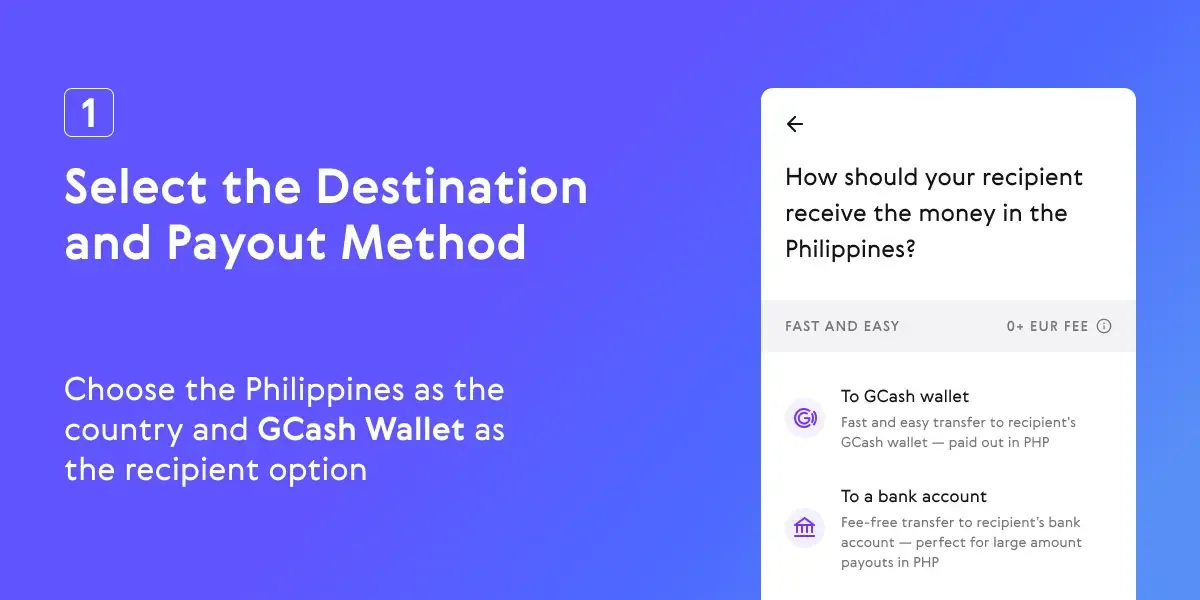
1. Select the Destination and Payout Method – Choose the Philippines as the country and GCash Wallet as the recipient option.
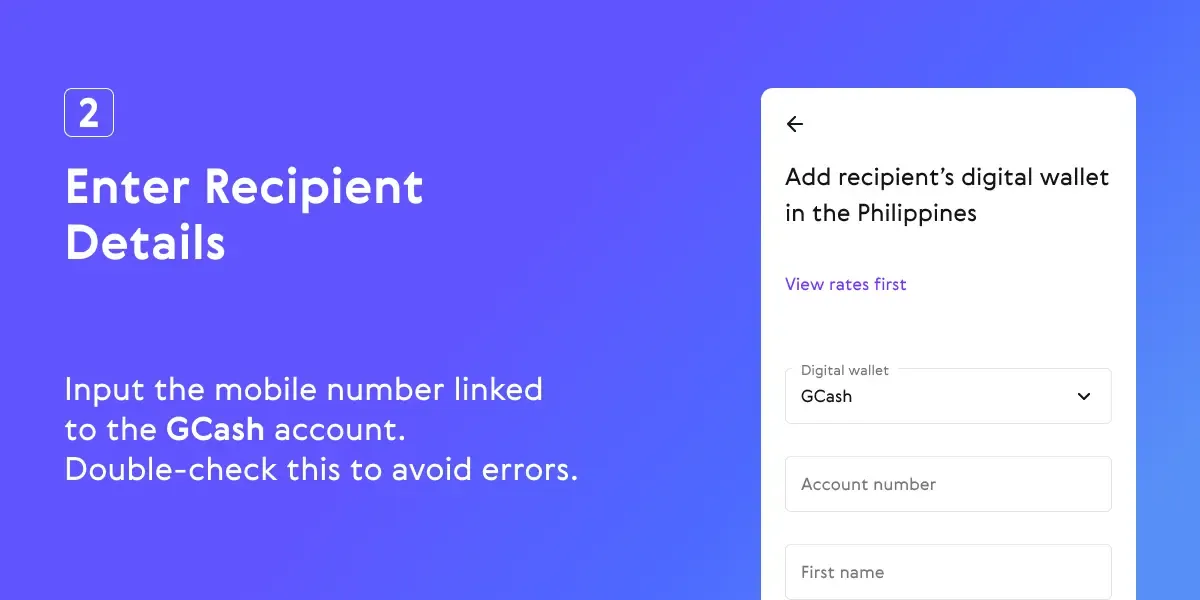
2. Enter Recipient Details – Input the mobile number linked to the GCash account. Double-check this to avoid errors.
3. Enter Transfer Amount – Specify the amount in PHP you want to send. Paysend supports 500 PHP minimum up to 100,000 PHP maximum per transaction.

4. Choose PayPal as Funding Method – Log in to your PayPal account when prompted and authorize the transfer.

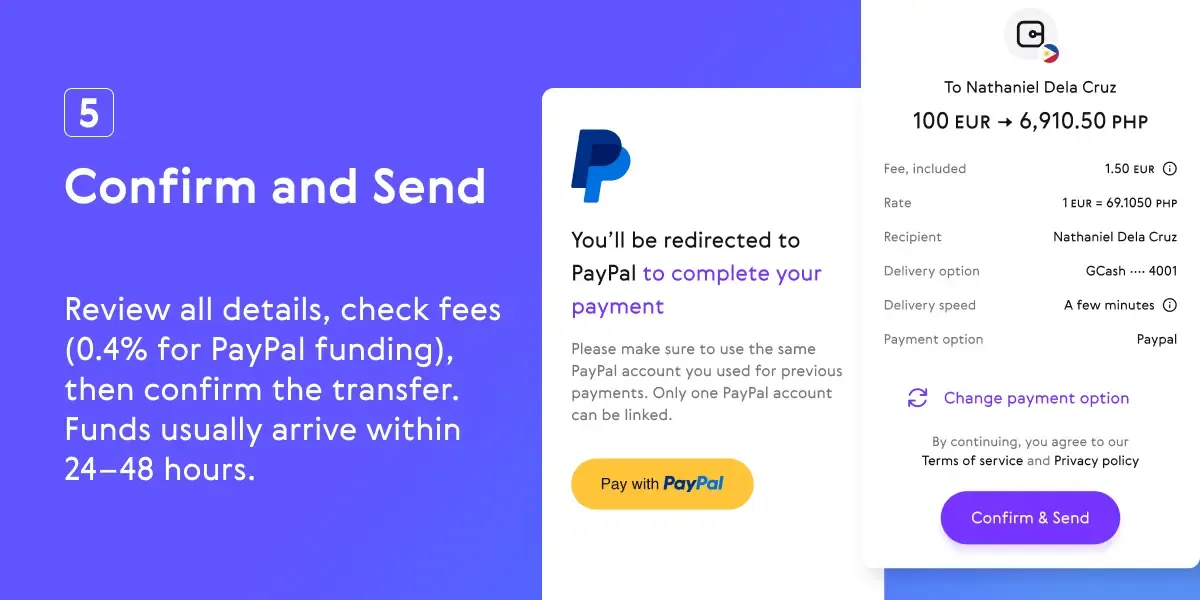
5. Confirm and Send – Review all details, check fees (0.4% for PayPal funding), then confirm the transfer. Funds usually arrive within 24–48 hours.
Alternative Route: Transferring Without Linking PayPal
If your PayPal account cannot be linked directly to GCash (e.g., non-Philippine PayPal, mismatched names or emails):
- Withdraw funds from PayPal to a Philippine bank account.
- Use the GCash Cash In via Bank option to transfer the money into your wallet.
This method works but is slower and may incur additional bank transfer fees.
Before You Send Money from PayPal to GCash
Before you transfer funds using Paysend, it’s important to make sure everything is in order to avoid delays, failed transactions, or unexpected fees. Check the following:
- Verified Accounts – Ensure both your GCash and PayPal accounts are fully verified. Your GCash email should match the email linked to your PayPal account for smooth processing.
- Recipient Details – Double-check the GCash mobile number you are sending money to. Even a small mistake can delay or prevent the transfer.
- Sufficient Funds – Make sure your PayPal balance covers the transfer amount and any applicable fees.
- Fees and Currency Conversion – Paysend charges a 0.4% fee when using PayPal to fund transfers. If your PayPal balance is in a foreign currency, PayPal’s currency conversion fee may also apply.
- Transfer Limits – Transfers typically range between 500 PHP and 100,000 PHP per transaction, though limits may vary depending on your Paysend verification status.
Taking these steps ensures your transfer goes smoothly and your funds reach the recipient’s GCash wallet without problems.
*Availability Disclaimer: Funding international transfers with PayPal via Paysend is currently available only for customers based in the UK and EU countries. Service availability may vary by country and is subject to local regulations and compliance requirements.
Останні дописи

If you're working in one country and supporting family in another, you already know the drill. Payday lands, and the money needs to be with them – not in three working days, not after a bank somewhere in the middle has taken its turn with it. Today, in their hands, ready to spend.
Here's the good news: a card to card transfer sends money straight from your card to someone else's, using the card networks instead of a standard bank transfer. No IBAN, no BIC, no sort code – just a card number. Let's get you sending.

Хороша новина — у вересні бонуси подвоюються. Упродовж усього вересня 2026 року кожен друг, якого ви запросите до Paysend і який виконає умови програми, принесе вам $6 замість звичних $3. Запросіть кількох — і зможете заробити до $72 за місяць (або еквівалент у місцевій валюті).
Це та сама реферальна програма, яку ви вже знаєте. Просто до 30 вересня розмір бонусу подвоєно. Ось як це працює і як отримати від акції максимум.


